Confession: I own almost 600 games. Do I play them? No. I open my library, scroll, get overwhelmed, and boot up something I've already played for hours on end.
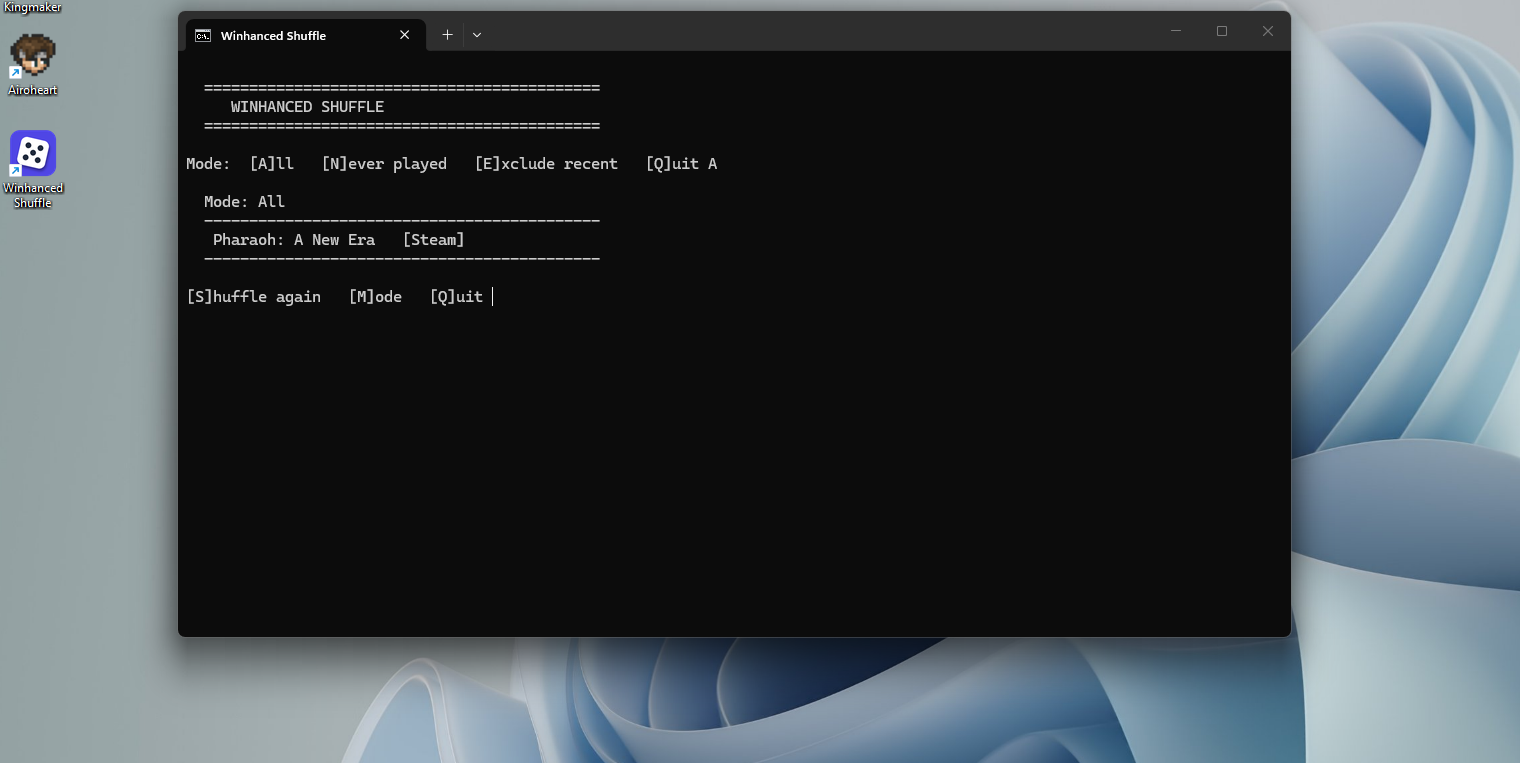
So I built the fix — a "shuffle" button for my entire game library. One click and it picks a random game for me to actually go play, pulling from everything I own across Steam, Epic, GOG, and Xbox, whether it's installed or not.
Best part: I'm not really a programmer. I built this by talking it through with an AI (Claude), going back and forth over an afternoon — testing, tweaking, fixing — until it did exactly what I wanted. People call this "vibecoding."
How It Works
For the tech crowd: it reads my Winhanced library database directly and strictly read-only, so it always reflects my current library with zero upkeep — no second list to maintain, nothing to export. It collapses games I own on multiple stores into one (so they don't get double the odds), skips anything I've hidden or blacklisted, and can filter out what I've played recently or show me only never-touched games. The whole thing is a tiny portable script and a desktop shortcut — no installer, no account, no bloat.
I even had it write its own README and a health-check script, so if Winhanced changes under the hood down the line, future-me knows exactly what to fix.
The backlog has nowhere to hide now. 🎲
Why Winhanced?
The app my tool plugs into is Winhanced — a Windows gaming shell that pulls storefronts (Steam, Epic, GOG, Xbox/Game Pass, even PlayStation via Remote Play) into one controller-friendly frontend. There are other game library tools out there that also combine your libraries across different stores, most notably Playnite and Heroic Launcher.
"Why not just use Playnite or Heroic?" Fair question. Playnite already has a shuffle feature, but beyond that I really liked the curated experience of Winhanced. Heroic Launcher covers GOG, Epic, and Amazon game libraries but is missing other notable storefronts like Steam.
Winhanced is still in early development, but like Heroic it can install GOG games natively (and I believe Epic games too). The current build just doesn't have a shuffle option — and I wanted to keep using it instead of installing multiple library tools just for that one feature.
So, I vibecoded my own shuffling solution. Neat, huh?